IntelliJ IDEA Community: A Guide to JetBrains’ Free Java IDE
IntelliJ IDEA is a popular integrated development environment (IDE) from JetBrains, best known for its tools for Java and Kotlin development. For many years, developers could choose between a free Community Edition and a paid Ultimate Edition. JetBrains has since moved towards a unified IntelliJ IDEA product: its core features are available free of charge, while some advanced tools require an Ultimate subscription. The name “IntelliJ IDEA Community” is still often used to refer to the free offering or the traditional Community Edition.
What is IntelliJ IDEA Community?
IntelliJ IDEA Community is designed for programming, testing and managing projects, particularly those written in Java and Kotlin. Rather than just providing a text editor, it helps developers understand their code, spot mistakes and carry out common tasks from within one application.
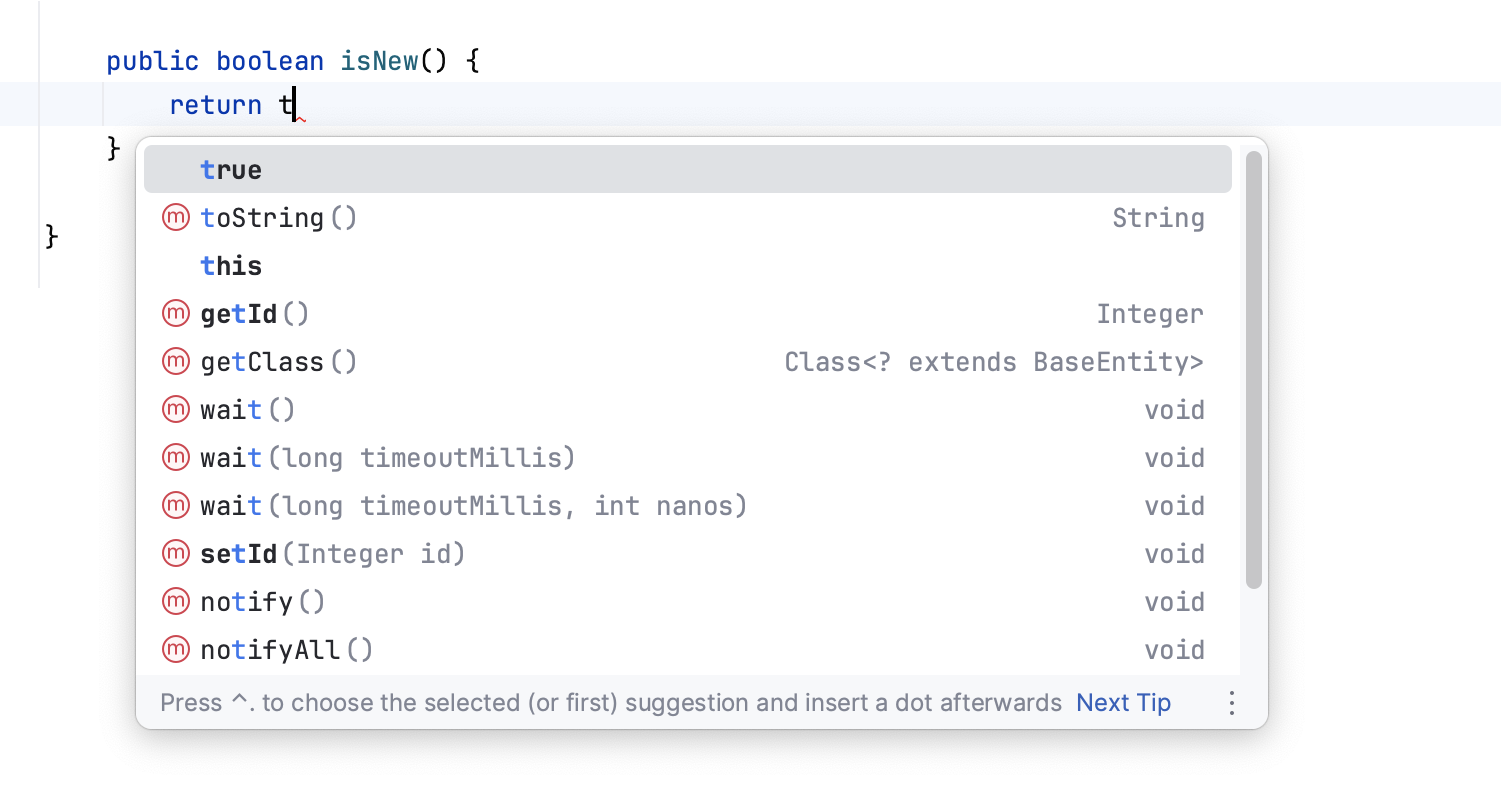
The free feature set includes a code editor with completion and inspections, support for common Java and Kotlin workflows, project tools, version-control integration and a debugger. It can also work with widely used build systems such as Maven and Gradle.
Key features
- Code assistance: Suggestions, navigation and inspections can make it easier to write and understand code.
- Project management: Create and work with projects, source files and dependencies in a structured workspace.
- Debugging and testing: Run applications, inspect their behaviour and work with supported testing frameworks.
- Version control: Use integrated tools for Git and other supported version-control systems.
- Customisation: Change the appearance and behaviour of the IDE, and add compatible plugins where available.
Who is it for?
The free version is a useful choice for students, learners, hobbyists and developers working on Java or Kotlin projects. It can also suit teams whose requirements are covered by the included tools. If you are learning to programme, features such as code navigation, error highlighting and debugging can help you understand how a project fits together.
Developers building web applications or using particular enterprise frameworks should check the current feature list before choosing a version. Some advanced framework, database and web-development tools have traditionally been part of IntelliJ IDEA Ultimate rather than the Community Edition. The exact split may change as JetBrains updates the product.
Community Edition and Ultimate
Historically, Community Edition was a separate, free and open-source product, while Ultimate was a paid edition with additional features. JetBrains’ move to a unified distribution means it is worth checking the current licensing and feature information on the official IntelliJ IDEA website rather than relying on older comparisons. In general, the free core is intended for everyday development, while Ultimate provides additional tools for more specialised workflows.
Getting started
Download IntelliJ IDEA from the official JetBrains website and follow the installation instructions for your operating system. Once it is installed, you can create a new project or open an existing one. For Java development, make sure a suitable Java Development Kit (JDK) is installed and configured. You can then select a build system, add source files and run your application from the IDE.
Is IntelliJ IDEA Community worth using?
For Java and Kotlin development, IntelliJ IDEA’s free features offer a capable environment for writing, running and debugging code. Its strongest advantage is the way its editor and project tools work together, helping developers move around a codebase and catch common issues early. Before starting a project, check that the free feature set supports the languages, frameworks and tools you plan to use.
Frequently Asked Questions About IntelliJ IDEA Community Edition
- What is the difference between IntelliJ community and normal?
- Is IntelliJ Community Edition better than Eclipse?
- Is IntelliJ IDEA Community discontinued?
- How to get IntelliJ Community Edition for free?
- What is the difference between IntelliJ Ultimate and Community?
- What is IntelliJ IDEA Community Edition?
- Is IntelliJ IDEA still free?
What is the difference between IntelliJ community and normal?
“IntelliJ IDEA Community” usually refers to the free feature set, while “normal IntelliJ” often means IntelliJ IDEA Ultimate, the paid subscription with additional tools for areas such as web and enterprise development, databases and advanced frameworks. The core IDE features for Java and Kotlin development are available for free, but the exact differences can change as JetBrains updates its licensing and product. Check JetBrains’ current feature comparison to see whether the tools you need are included in the free version.
Is IntelliJ Community Edition better than Eclipse?
Neither IntelliJ IDEA’s free edition nor Eclipse is universally better; the right choice depends on your workflow and preferences. IntelliJ IDEA is often praised for its polished interface, smart code assistance and straightforward navigation, while Eclipse is highly customisable, has a large plugin ecosystem and remains a familiar choice for many Java developers. Both support Java development and can be used effectively for learning or professional projects. Try each with your usual tools and project type, and check that the features you need are included in the current free offering.
Is IntelliJ IDEA Community discontinued?
Yes, IntelliJ IDEA Community Edition has been discontinued as a separate product. Since IntelliJ IDEA 2025.3, JetBrains has offered a single, unified IntelliJ IDEA download: its core features remain free to use, while some advanced features require an Ultimate subscription. So, although the separate Community Edition is no longer maintained, developers can still use IntelliJ IDEA’s free functionality. Check JetBrains’ current feature and licensing information for details.
How to get IntelliJ Community Edition for free?
You can download IntelliJ IDEA’s free version from the official JetBrains website. Choose the free download option, select your operating system and follow the installation instructions. JetBrains now offers IntelliJ IDEA as a unified product, with core features available at no cost and some advanced tools requiring a paid Ultimate subscription. Check the current licensing details on the JetBrains website to confirm which features are included for your needs.
What is the difference between IntelliJ Ultimate and Community?
IntelliJ IDEA Community traditionally referred to the free edition, focused mainly on Java and Kotlin development, while IntelliJ IDEA Ultimate is the paid edition with additional tools for areas such as web and enterprise development, databases and application frameworks. JetBrains has since moved towards a unified IntelliJ IDEA distribution: core features are free, with some advanced capabilities available through an Ultimate subscription. The exact feature split can change, so check JetBrains’ current comparison before choosing.
What is IntelliJ IDEA Community Edition?
IntelliJ IDEA Community Edition is the free version of JetBrains’ integrated development environment, traditionally used for Java and Kotlin development. It provides tools for writing, running, testing and debugging code, as well as features such as code completion and version-control integration. JetBrains now offers IntelliJ IDEA as a unified product, so the available free features and licensing may differ from older descriptions of Community Edition.
Is IntelliJ IDEA still free?
Yes. IntelliJ IDEA’s core features remain free to use, including essential tools for Java and Kotlin development. Some advanced features require a paid subscription, although eligible users can access the Ultimate feature set free for non-commercial use. Check JetBrains’ current licensing terms to see which option applies to your work.